AFROPARI
Email · Phone · One-click · Social

AfroPari Uganda Sign Up Guide

Understand the four registration methods, how to confirm your phone or email, what the UGX account fields mean and how welcome offers work before you decide whether to open an account.

Our registration link is an affiliate link. We may earn a commission at no extra cost to you. Not for persons under 25 years. Never share passwords or verification codes with this site.

Registration methodsFour options
Country and currencyUganda · UGX
Promo codeBSR
Minimum age25 years
01Choose a method

Four Ways to Register for AfroPari Uganda

Before opening an account, consider which sign-in method you can reliably access. AfroPari offers email, phone, One-click and social account registration; each has a slightly different starting point, but all lead to the same account verification and security requirements.

By e-mailUse your email address, personal details and a password you choose.
By phoneUse a Ugandan mobile number and a confirmation code.
One-clickChoose country and currency; retain any credentials issued by the platform.
Social accountsUse an available Telegram, Google or Apple sign-in option.

Where you will find the registration forms

You may see different starting screens depending on whether you open registration from the desktop sidebar, the main menu or a mobile device. Here is how those entry points compare.

Entry pointWhat you may seeWhat to check
Dedicated registration formEmail, One-click and social networks and messengers tabs.Uganda, UGX and the required personal details.
Desktop homepage sidebarQuick One-click and By phone options.The country, currency and applicable confirmation details.
Android or iOSA mobile registration form or in-app registration entry.The same account identity and contact details; the layout can differ.
Before you registerYou must be 25 or older in Uganda. Use accurate personal details and only one account. If you already have an account, use the login or recovery route instead.

AfroPari Uganda welcome offer artwork, ages 25 and above
02Homepage panel

Quick Registration from the Desktop Homepage

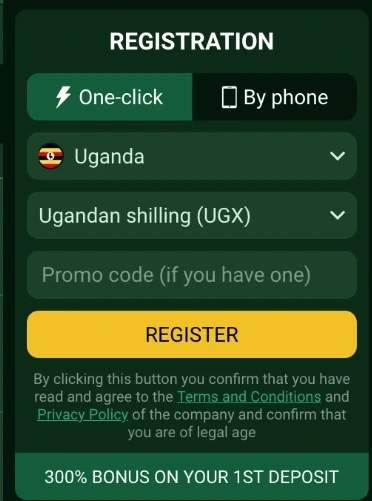
The registration panel on the right of the desktop sportsbook provides a compact entry point for account creation. In the Uganda screenshot, One-click is selected and the country and currency are already set to Uganda and UGX.

Uganda desktop sidebar showing One-click and By phone registration tabs, UGX and promo-code field
The original Uganda desktop registration panel, cropped to make the controls readable.

Notice the two tabs immediately above the country selector. Selecting a different tab changes the information the panel asks for; it does not create a different type of betting account.

Find the registration panel

Look for Registration in the main header or the panel on the right of the sportsbook.

Choose a method

One-click displays country, currency and the optional promo-code field. By phone opens the phone confirmation process.

Check your country and currency

Make sure the Uganda flag and Ugandan shilling (UGX) are correct.

Review the terms

Read the privacy and operator terms and check any offer settings before confirming. If using the phone route, follow the code prompt.

If you prefer to provide your personal information at the start, the full email form is more suitable for understanding what details the operator requests.

AfroPari football promotional artwork
03Email sign up

How to Register by Email

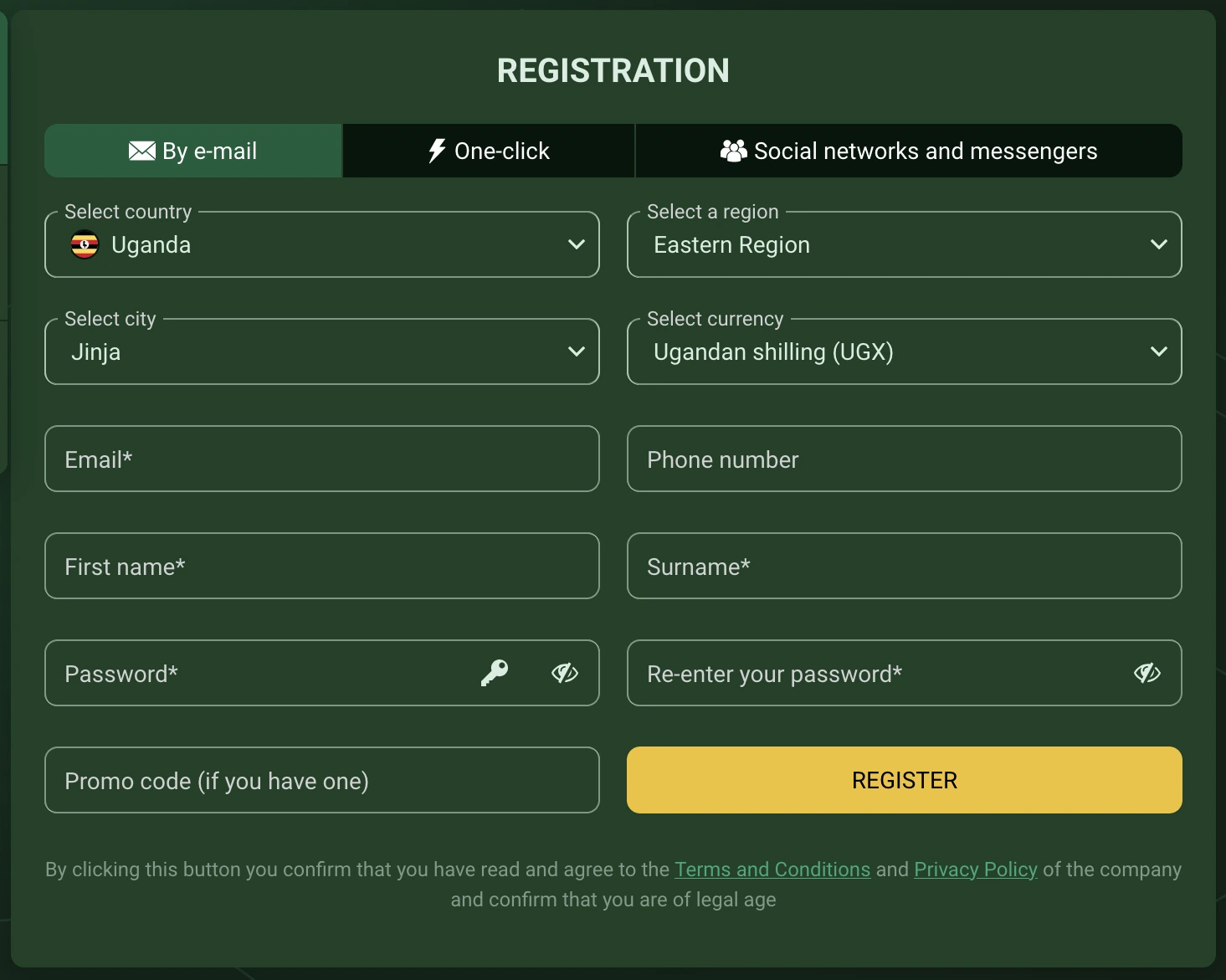
The email form asks you to select your country, region and city, then fill in your account details. It is a more complete form than the One-click option and allows you to choose your own password from the outset.

AfroPari Uganda email registration showing Eastern Region, Jinja, UGX and required fields
Uganda email form. Eastern Region and Jinja are example selections; choose your actual region and city.

The asterisks identify required fields in the captured form. The phone-number field is visible without an asterisk, but a verified phone may still be needed for account security, payment checks or bonus eligibility.

Select By e-mail

Open the registration form and select the email tab.

Choose your region and city

Confirm Uganda and select the region and city where you actually live. Jinja is just the example shown above.

Confirm UGX

Check that Ugandan shilling is selected before proceeding.

Enter your details

Provide an email address you control, your first name and surname, and any other requested contact information. Use your own details, matching your identification.

Create and repeat your password

Choose a unique password and type it again in the confirmation field. Do not reuse your email or mobile money PIN.

Review the optional promo field

The form provides a promo-code field. BSR is the code covered in this guide. Entering a code is separate from accepting an offer.

Complete the email confirmation

Read the terms, submit the form and follow the activation instructions delivered to your email address.

If no message arrivesCheck the spelling of your email and its spam or junk folder. If the activation message is missing, use the resend option where available or contact support. Do not create another account.

We cover the confirmation screen in Chapter 8 below, including what to do when a code or email has not arrived.

AfroPari Uganda welcome offer artwork, ages 25 and above
04Phone sign up

How to Register by Phone

You can use the phone route if you have access to a Ugandan SIM. The country prefix is +256. Your phone number is a security credential, so it is important to use a number you control and avoid sharing confirmation codes.

Open the By phone tab in the desktop registration sidebar shown in Chapter 2. The exact delivery options can vary by interface; SMS is the confirmation method illustrated below.

Select By phone

Open the phone registration option.

Check the country prefix

Select Uganda (+256), then enter the local digits requested in the field without repeating the international prefix.

Request the verification code

Choose SMS if available and use the send button. Wait for the message to arrive on the registered SIM.

Enter the confirmation code

Enter the latest code only in the operator’s confirmation dialog. Never send it to a third party.

Confirm the remaining fields

Check UGX, review any optional promo field and read the terms before completing the form.

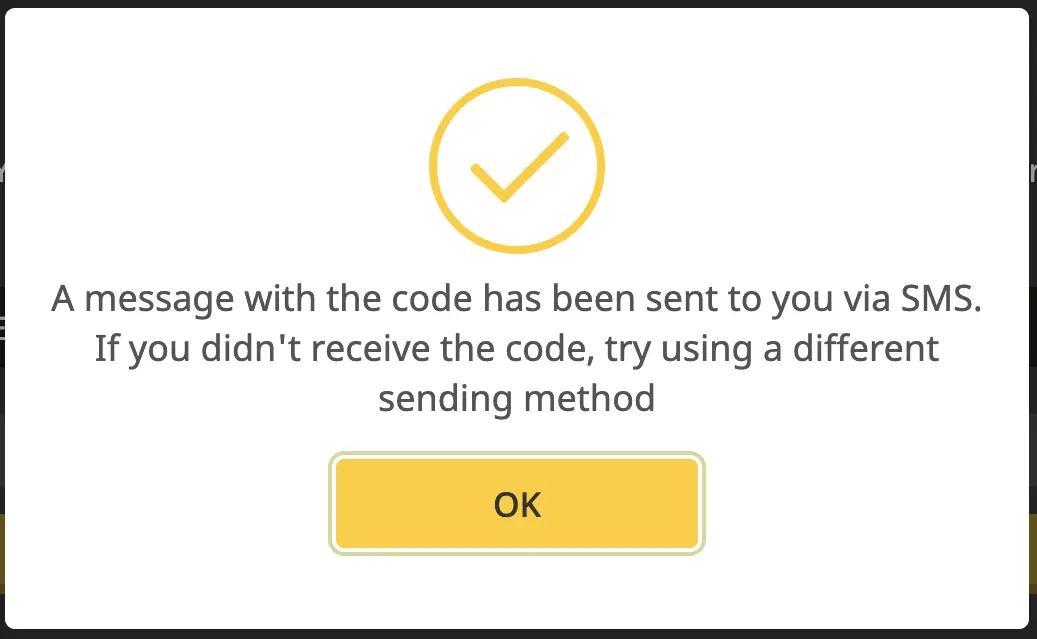
AfroPari code sent confirmation
SMS sent notification (shared-interface reference).
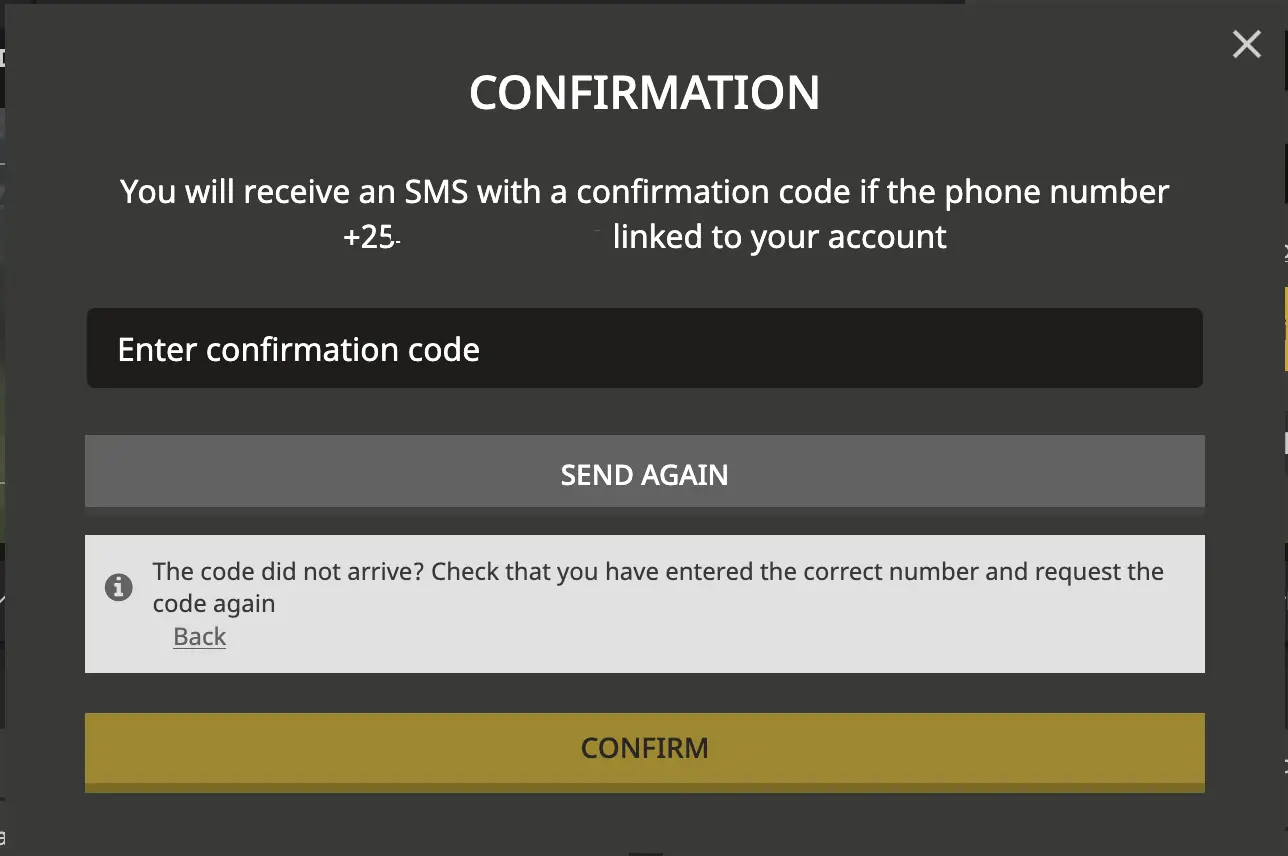
AfroPari SMS confirmation field with number concealed
Code entry dialog (shared-interface reference).
The minimum deposit is not a registration feeOpening an account and depositing money are separate actions. Do not send funds to someone claiming they can activate your account.

Phone registration ties your recovery access to your SIM. If you do not have a stable number, consider whether the email method would be easier to manage.

AfroPari football promotional artwork
05One-click

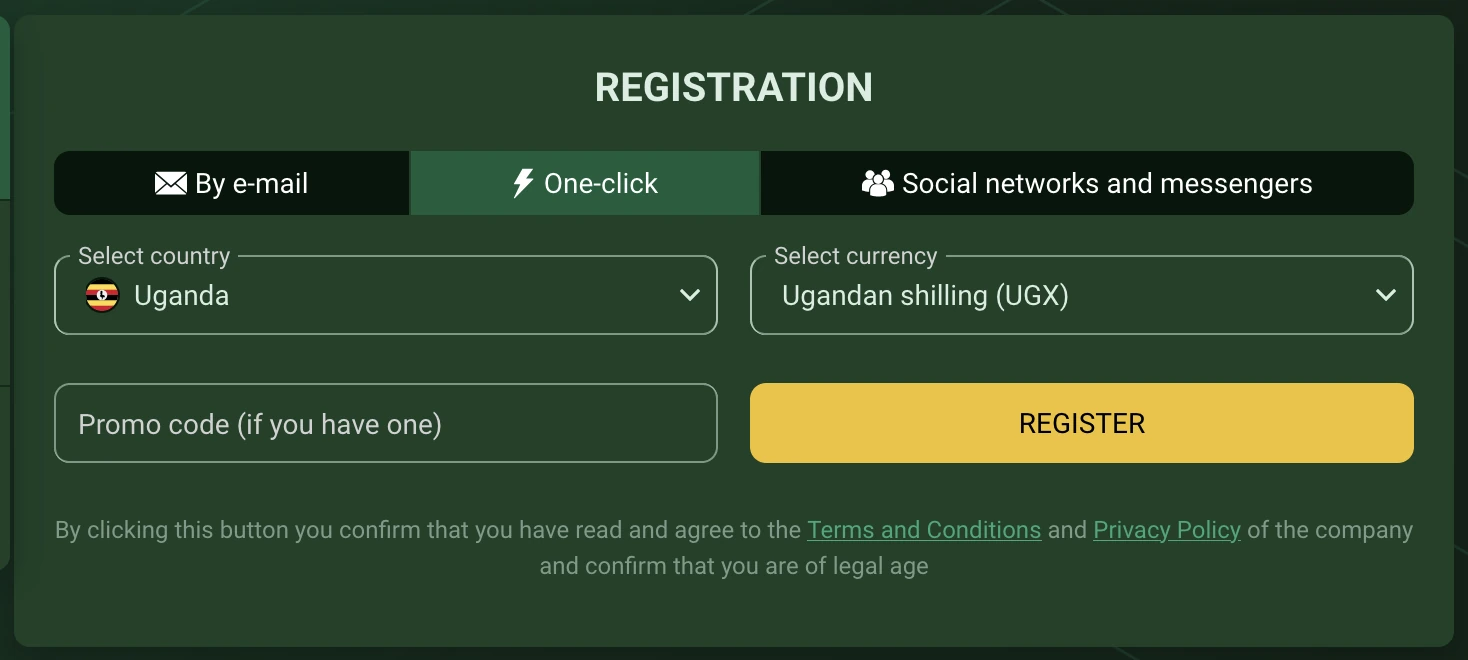
One-click Registration

The One-click form is the simplest-looking of the registration screens. Unlike email registration, the captured Uganda form asks only for country, currency and an optional promo code before the Register button.

AfroPari Uganda One-click form with Uganda, UGX and promo-code field
The One-click tab on the Uganda registration form.

A shorter form does not mean verification is waived. If you are issued an account ID or temporary password, securely retain them and complete the account profile when requested.

Select One-click

Choose the tab with the lightning icon.

Review the selectors

Check Uganda and UGX, and review the optional promo-code field.

Read the terms before registering

Confirm your eligibility and submit only if you understand the conditions.

Secure your account

Save any issued credentials privately, set a unique password if prompted and link a verified contact using the account settings.

Do not rely on an open browser sessionIf you lose a device or clear browser data before securing recovery access, you may have difficulty restoring access. Contact support rather than creating a duplicate account.
AfroPari Uganda welcome offer artwork, ages 25 and above
06Social sign up

Registration with Social Networks and Messengers

The Uganda registration form also has a Social networks and messengers tab. It shows Telegram, Google and Apple as available sign-in providers. If you use one of these services, the operator may use it to authenticate your account.

AfroPari Uganda social registration with Telegram, Google, Apple and UGX selectors
The social sign-in choices visible in the Uganda form.
Open the social registration tab

Look for Social networks and messengers alongside the email and One-click options.

Review the account information

Check Uganda, UGX and any optional promo-code field.

Choose a provider you control

If a provider opens an authorization prompt, read what access is requested before continuing. Only approve a genuine provider sign-in screen.

Complete the remaining requirements

Follow the operator’s instructions and verify any requested phone or email details.

A social sign-in is not a substitute for identity verification. Protect the linked Google, Apple or Telegram account with its available security settings. If you lose access to the linked provider, use the operator’s recovery route rather than creating another account.

AfroPari football promotional artwork
07Android & iOS

Register on Android or iOS

On a phone, the registration controls may be arranged vertically rather than across the wider desktop page. You can access the registration entry through a mobile browser or the operator’s mobile application where available.

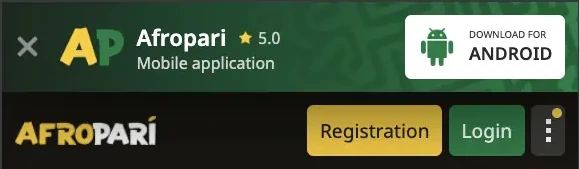
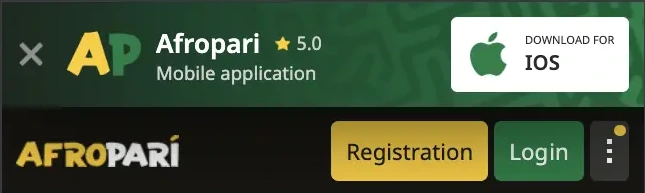
The reference images below show the mobile header and registration entry points. They are cropped to exclude country-specific information from the earlier platform version; actual Uganda mobile screens may differ.

Reference Android mobile header with registration entry
Android mobile interface reference.
Reference iOS mobile header with registration entry
iOS mobile interface reference.

Using a phone browser or an installed app

Regardless of the device, check that you are in the correct account environment, confirm the country and currency, and use the same personal identity and contact information. Do not register a second time just because you switch between desktop and mobile.

DeviceEntry pointSecurity reminder
AndroidMobile website or installed Android application.Avoid untrusted APK files and check app permissions.
iPhone or iPadMobile browser or an available web-app shortcut.Check the website address before entering account details.
AfroPari Uganda welcome offer artwork, ages 25 and above
08Activate account

Confirm and Activate the New Account

Registration is not always the final step. Depending on the method you used, you may be asked to confirm a phone number, activate an email address or complete your profile. Follow the instruction shown for your own account.

Email confirmation and activation

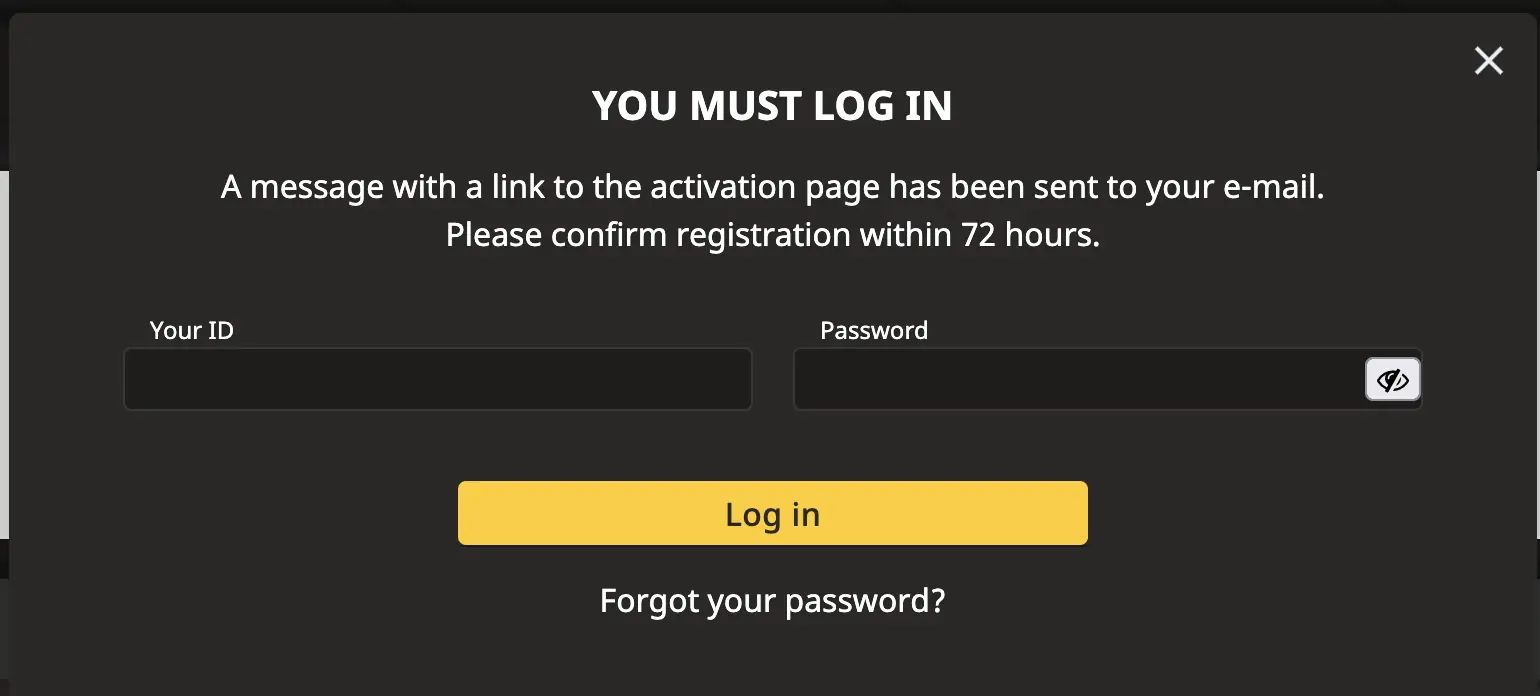
After submitting an email form, check your inbox for the activation message. The older shared-interface example shows a 72-hour confirmation window; the deadline for your Uganda account is the one displayed in your own message.

AfroPari email activation notice with 72 hour reference deadline
Example activation notice; follow the deadline on your account.
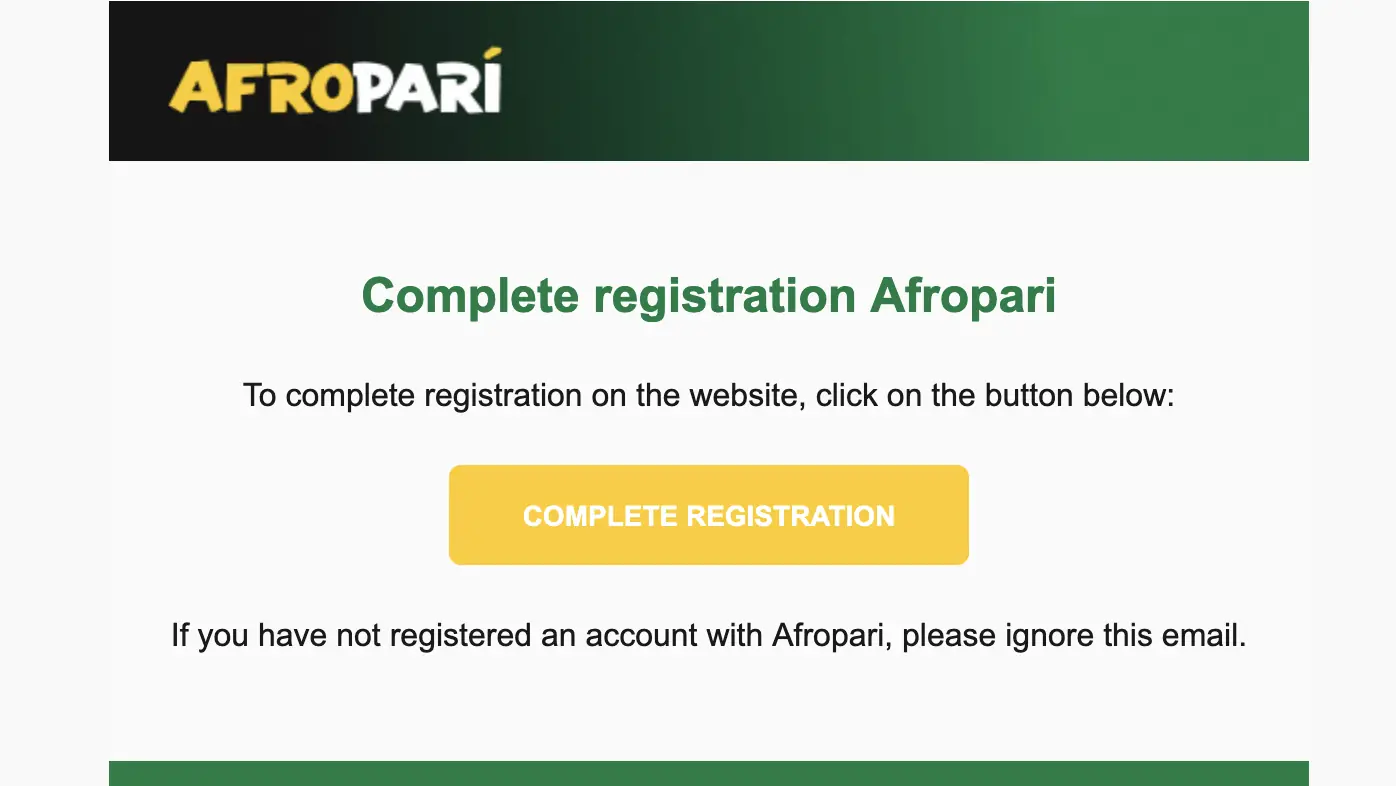
AfroPari registration confirmation email with Complete Registration button
Example confirmation email.
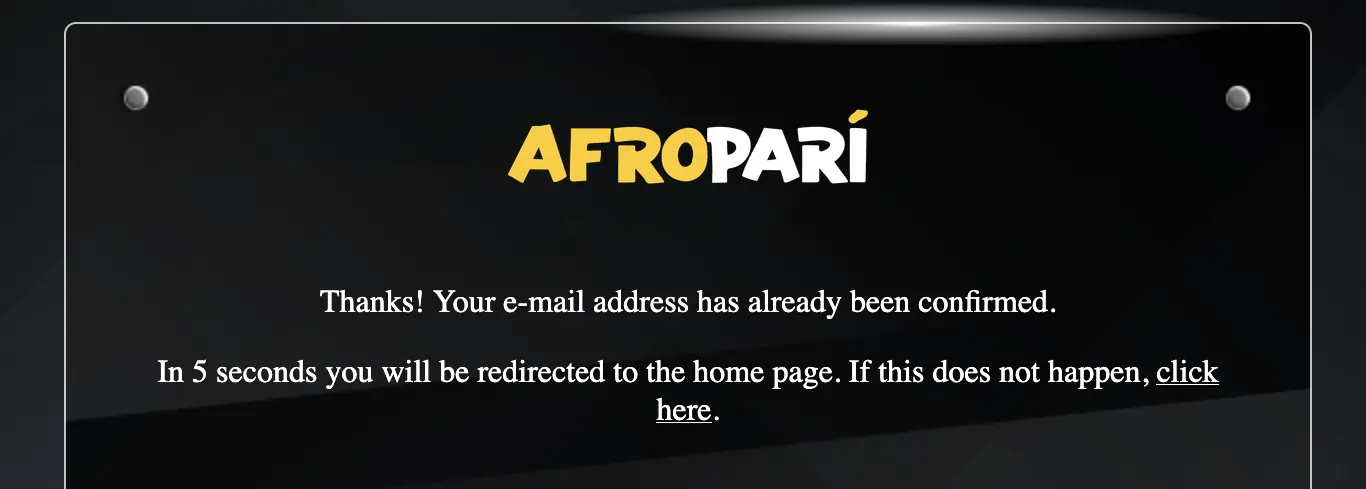
AfroPari email address confirmation message
Example successful email confirmation.

Check that the message relates to the account you just created. If you did not request registration, do not open the link. After confirmation, return to the account and check that the contact is marked as verified.

Phone confirmation and activation

The SMS method uses the confirmation dialog shown earlier in the phone registration section. Enter the current code in the operator’s own interface. A new code may replace an earlier one; use the most recent one that matches your current request.

Registration methodWhat to confirm
EmailAccess to the registered email and its activation link.
PhoneAccess to the registered SIM and the confirmation code.
One-clickIssued credentials and a verified recovery contact.
SocialAccess to the linked sign-in provider and any requested account contact details.
Confirmation is not the same as KYCA verified contact helps secure access, but identity verification may still be requested. Never send identification documents to our editorial email.
AfroPari football promotional artwork
09Bonus choice

Choose Sports, Casino or Decide Later

You may see a welcome offer during registration or in your account settings. Promo code BSR and selecting a bonus are separate actions. A bonus comes with conditions that affect the use and withdrawal of promotional funds.

Before choosing anything, compare the two advertised welcome packages and the option to decline or decide later.

Offer choiceAdvertised termsImportant conditions
Sports300% up to 735,000 UGX1,850 UGX minimum qualifying deposit; 8× bonus wagering; at least six selections with odds of 2.30 or higher.
CasinoUp to 200% across four deposits, up to 7,000,000 UGX + 150 free spinsFirst qualifying deposit 47,770 UGX; later deposits 66,000 UGX each; 35× each deposit bonus.
Reject bonuses / decide laterNo welcome bonus selectedReview available offers later, subject to their eligibility and time limits.

What the welcome bonus terms mean

A bonus is not withdrawable cash on receipt. Sports bonus wagering requires qualifying accumulator bets; the casino package has separate stages, eligible-game rules and a seven-day wagering period under the operator’s general terms. Losses are possible and wagering conditions can restrict withdrawals. Cryptocurrency transactions are excluded from bonus eligibility under the operator’s stated rules.

If the registration form or offer settings show “Reject Bonuses. Make your choice later”, you can decline the welcome offer rather than commit to its restrictions. The exact offer availability and expiry are determined by the current terms in your account.

AfroPari Uganda welcome offer artwork, ages 25 and above
10Finish setup

After Registration: Activate and Complete the Account

Once the account is created, the next step is to make sure you can recover access and that your details are accurate. You do not need to deposit or accept an offer just to review your account settings.

Verify the contact

Confirm the email or mobile number you registered with, and keep access to it.

Complete the personal profile

Use your legal name and accurate residence details. Follow requests for verification through the operator.

Protect login and recovery

Use unique credentials and enable additional authentication where the account offers it.

Review bonus preferences

Find out whether a bonus is active and what conditions apply before making any payment.

Check safety tools

Look for account-limit and self-exclusion options. Do not gamble with funds you need for essentials.

Keep operator and editorial support separate

Account, payment and verification issues belong with the operator’s support team.

For an existing account, use the login and recovery guide or our responsible gambling guide for further information.

AfroPari football promotional artwork
11Troubleshooting

Common AfroPari Registration Problems

A failed verification code or rejected form does not necessarily mean you need a new account. Check the information you entered before trying again. The table covers common problems and the safest next action.

ProblemCheck firstNext action
SMS not receivedUganda +256 prefix, digits, SIM signal and delivery option.Wait for the resend prompt and contact support if the issue persists.
Email activation missingSpelling and spam or junk folders.Use the resend option or operator support.
Form won’t submitRequired fields, matching passwords, country, currency and terms.Correct the indicated field; do not invent personal details.
Promo code rejectedBSR spelling and current eligibility.Check applicable offer terms; code acceptance is not guaranteed.
Wrong country or currencyUganda and UGX in the form.Correct before submitting; if already created, contact support before funding.
Account already existsOriginal email, phone, ID or social provider.Use login or recovery instead of a duplicate account.
One-click credentials lostPrivately saved credentials and linked contacts.Contact operator support through verified channels.
Social sign-in failsAccess to the same provider account and browser permissions.Retry using the established sign-in route or contact support.

For unresolved account problems, use live chat or email support-en@afropari.com. Include a description of the problem, not your password, SMS code or mobile money PIN.

AfroPari Uganda welcome offer artwork, ages 25 and above
12Questions

AfroPari Uganda Sign Up FAQ

Here are answers to the most common questions about registration and account confirmation.

How many registration methods are available?

The Uganda interface provides email, phone, One-click and social networks or messengers registration. The desktop sidebar offers quick access to One-click and phone registration.

What is the minimum age in Uganda?

You must be at least 25 years old to participate in gambling in Uganda.

Which country and currency should I select?

Select Uganda and Ugandan shilling (UGX), and enter your actual region and city where requested.

What is the promo code covered by this guide?

BSR is the registration promo code covered here. Using a code is separate from opting into a bonus and does not guarantee eligibility.

How do I confirm a phone registration?

Use the Uganda +256 prefix, request the confirmation code and enter the latest code in the operator’s confirmation dialog. Keep the code private.

How do I activate email registration?

Follow the activation link in the email sent to your registered address within the deadline shown for your account.

Can I choose not to take a welcome bonus?

Yes, where the relevant offer controls are available, you can decline the offer or choose later. Check any time limits and eligibility requirements.

What happens after One-click registration?

Keep any issued credentials securely, link a verified recovery contact and complete requested profile information.

Can I use Google, Telegram or Apple?

These three providers are visible in the Uganda social-registration tab. Use a provider account you control and follow any additional verification prompts.

Is mobile registration different?

The layout and entry points may differ, but use the same correct country, currency, identity and contact information. Do not register a second account when changing devices.

Does registration require a deposit?

Account registration and depositing funds are separate processes. The operator may require additional verification before payments or promotions become available.

What if I already have an account?

Use your established login method or password recovery. Contact operator support if you cannot restore access.

AfroPari football promotional artwork