AFROPARI
Android APK · iOS PWA · Mobile access · 25+

AfroPari Uganda App Download

Learn how AfroPari Android APK, iOS Home Screen web app and mobile-browser access differ, including installation, updates and common issues. 25+.

Not for persons under 25 years. Registration links may earn us a commission. Gambling involves financial risk.

AndroidDirect APK
iPhone / iPadSafari PWA
AccountSame existing login
AlternativeMobile browser
01Access options

Choose the Right AfroPari Mobile Access

The Android APK and the iOS web app are different formats. Your existing account remains the same whichever route you use.
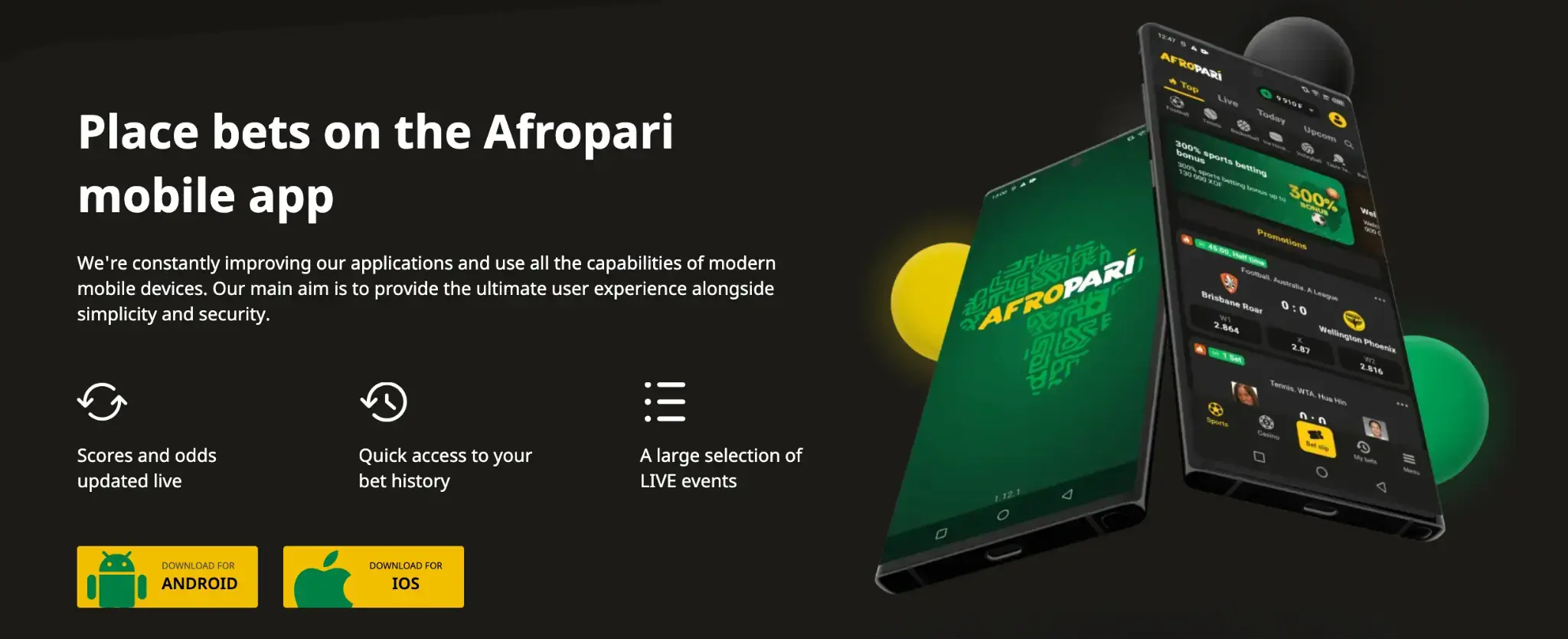
AfroPari mobile app landing page
Shared-platform landing page reference; the browser and device determine which options are available.
Access routeWhat it doesWhat to check
Android APKInstalls an Android applicationVerified source, file integrity, permissions
iOS PWAAdds a website shortcut that opens like an appSafari, Add to Home Screen
Mobile websiteOpens the service in a browserCurrent operator address and HTTPS

No separate betting account is needed for an installation. If you already registered, use your existing credentials rather than creating a second account.


AfroPari promotional artwork, ages 25 and above
02Android

Android APK Download and Installation

An APK is an Android installation package, not an iPhone file. Only proceed if the operator and service are authorized for your location.

Identify the source

Use the operator’s verified mobile landing page. Avoid APK links in unsolicited messages.

Review the download

Check the displayed file name and any browser warning. Do not continue if the source or permissions are unfamiliar.

Review Android settings

Android may offer Install unknown apps for the browser or file manager. Grant this only temporarily if you trust the source.

Complete or cancel installation

Review the installer prompt and requested permissions. After installation, switch the temporary permission off again.

The supplied Android link is an affiliate redirect: Android APK landing page. Verify the final destination before opening a file.

Source verificationDo not disable Play Protect or other system security controls to force an installation. The browser is an alternative if the APK cannot be verified.
AfroPari promotional artwork, ages 25 and above
03iPhone & iPad

iOS PWA: Add AfroPari to the Home Screen

The documented Uganda reference describes a progressive web app (PWA), not a confirmed native App Store listing.

Open in Safari

Use Safari directly, not a messaging-app browser.

Open Share

Select the Share icon and find Add to Home Screen.

Review the shortcut

Check its name and web address, then add it if appropriate.

Open the icon

It opens the mobile web service; use the existing account details.

The supplied iOS/mobile route is the mobile landing page. If Add to Home Screen is missing, ordinary Safari access remains available.

Shared iOS registration entry reference
Illustrative mobile entry screen, not an App Store installation screenshot.
AfroPari promotional artwork, ages 25 and above
04Maintenance

Updates, Permissions and Removing the App

App maintenance differs depending on whether you installed an APK or created a Home Screen web shortcut.

TaskAndroidiOS PWA
UpdateVerify any replacement APK with the operatorWebsite content updates through the browser
PermissionsSettings → Apps; review each permissionSafari and website permissions
RemoveUninstall through Android settingsRemove the Home Screen icon
Account closureContact operator; uninstalling does not close the accountRemoving the icon does not close the account

Avoid sharing one-time codes during installation or recovery. If the service requests location or notification access, consider whether the permission is necessary.

AfroPari promotional artwork, ages 25 and above
05Troubleshooting

Mobile App Problems and Browser Alternatives

Start by identifying whether the problem affects installation, connectivity or the account itself.

SymptomWhat to check
APK will not openFile integrity, Android compatibility, available storage
Add to Home Screen absentOpen directly in Safari; inspect Share options
Login fails on both app and webAccount ID, phone or email, password and recovery
Deposit not visibleCashier history and payment reference; do not repeat while pending
App opens slowlyConnection and official service status; try browser if appropriate
AfroPari promotional artwork, ages 25 and above
06Questions

AfroPari Uganda App Download FAQ

Answers to common questions related to this guide.

Is the iPhone version an Android APK?

No. The approved iOS route is a Safari Home Screen PWA.

Do I need a new account?

No. The app and browser use the same existing account.

Is AfroPari confirmed in Google Play or the App Store?

The supplied access routes are an Android APK and an iOS PWA; a native store listing has not been established.

Does removing the app close my account?

No. Contact the operator to request account closure or exclusion.

What if the APK source is unclear?

Do not install it. Use a verified operator route or browser access instead.

AfroPari promotional artwork, ages 25 and above